
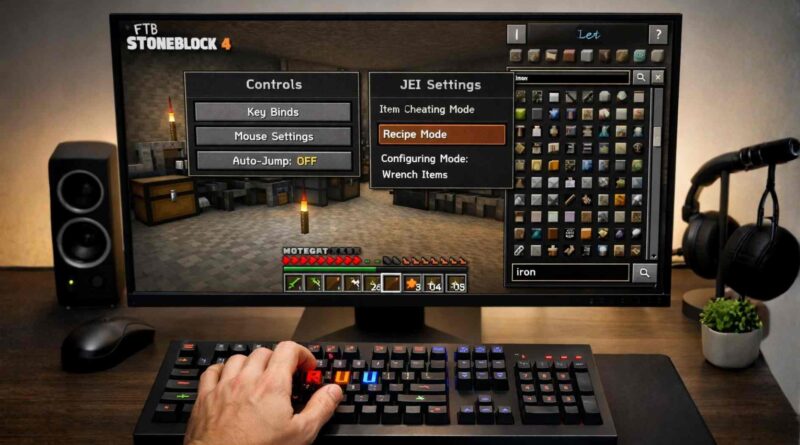
How to Change JEI Keybinds in FTB Stoneblock 4
If you’re trying to learn how to change JEI keybinds in FTB Stoneblock 4, you’re likely frustrated with default controls getting in your way. That’s a common issue, especially when key conflicts block important actions.
The good news is that fixing JEI keybinds is simple once you know where to look. This guide walks you through the exact steps, explains why keybind conflicts happen, and shows how to optimize your setup for smoother gameplay.
Why You Might Need to Change JEI Keybinds in FTB Stoneblock 4
JEI (Just Enough Items) is essential in modded Minecraft. It helps you view recipes, search items, and manage crafting efficiently.
But default keybinds don’t always fit every setup.
Here’s why players often change them:
- Keys overlap with other mods
- Controls feel uncomfortable during gameplay
- Certain features stop working due to conflicts
- Custom setups (like different keyboards) need adjustments
If JEI isn’t responding properly, keybind conflicts are usually the reason.
How to Change JEI Keybinds in FTB Stoneblock 4 (Step-by-Step)
Follow these steps carefully. This works inside the game, no external tools needed.
Step 1: Open the Controls Menu
Launch FTB Stoneblock 4 and load your world.
Then:
- Press Escape
- Click on Options
- Select Controls
This opens the full keybinding menu where all mod controls are listed.
Step 2: Search for JEI Controls
At the top of the Controls menu, you’ll see a search bar.
Type:
JEI
This filters out everything except JEI-related keybinds, making it easier to find what you need.
Step 3: Identify Keybind Conflicts
Look for any keybinds highlighted in red.
Red means two actions are using the same key. This causes one or both to stop working.
Common JEI conflicts include:
- Recipe view (usually “R”)
- Usage view (usually “U”)
- Bookmarking items
- Overlay toggle
Fixing these is the main goal.
Step 4: Change the Keybind
Click on the key you want to change.
Then press a new key on your keyboard.
Pick something that:
- Doesn’t conflict with other controls
- Feels easy to reach
- Matches your playstyle
If you make a mistake, you can reset it anytime.
Step 5: Save and Test
Close the menu after making changes.
Go back into your world and test:
- Press the new key for recipes
- Try item usage view
- Open JEI overlay
Make sure everything responds correctly.
Best Keybind Setup for JEI (Practical Recommendations)
There’s no perfect setup, but some layouts work better for most players.
Here’s a simple, conflict-free example:
| JEI Function | Suggested Key |
|---|---|
| Show Recipes | R |
| Show Uses | U |
| Bookmark Item | B |
| Toggle Overlay | O |
If R or U are already used by another mod, shift them to nearby keys like:
- G or H for recipes
- J for usage
The goal is fast access without overlap.
Common Problems and Fixes
JEI Not Opening at All
This usually means the toggle overlay key is unassigned or conflicting.
Fix it by assigning a new key in Controls under JEI settings.
Recipe Key Not Working
If pressing R does nothing, another mod is likely using the same key.
Search for that key in Controls and reassign one of them.
Changes Not Saving
If your keybinds reset after restarting:
- Make sure you exit the menu properly
- Avoid force-closing the game
- Check if your config files are locked or read-only
Too Many Mod Conflicts
FTB Stoneblock 4 has many mods, so conflicts are normal.
Use the search bar in Controls often. It’s the fastest way to manage overlaps.
Pro Tips to Optimize Your Controls
Small adjustments can make a big difference during gameplay.
- Keep frequently used keys near WASD
- Avoid assigning keys used for movement
- Group similar actions (like JEI features) close together
- Test changes immediately after setting them
Over time, you’ll build muscle memory and play faster.
Why Proper JEI Keybinds Matter More Than You Think
JEI isn’t just a helper tool. It’s central to progression in modpacks like Stoneblock 4.
If your controls are slow or broken:
- Crafting becomes frustrating
- Recipe lookup wastes time
- Automation planning gets harder
Clean keybinds remove friction and improve your entire experience.
FAQs
How do I reset JEI keybinds to default in FTB Stoneblock 4?
Go to the Controls menu and search for JEI. Click the Reset button next to each keybind you want to restore. This will return it to the default setting instantly.
If multiple keys are broken, resetting all JEI controls is often faster than fixing them one by one.
What are the default JEI keybinds in FTB Stoneblock 4?
The most common defaults are:
- R for recipes
- U for uses
- O for toggling the overlay
However, these can change depending on modpack updates or personal settings.
Why are my JEI keybinds highlighted in red?
Red highlights mean there’s a conflict.
Two or more actions are using the same key, which causes input issues. You need to reassign at least one of them to fix it.
Can I disable certain JEI features instead of changing keybinds?
Yes, but it depends on the feature.
Some JEI options can be turned off in mod settings. But for most functions, changing the keybind is the easiest and safest solution.
Do keybind changes affect multiplayer worlds?
No, keybinds are client-side.
This means your changes only affect your game, not other players on the server.
Is JEI required to play FTB Stoneblock 4?
Technically no, but practically yes.
JEI is essential for understanding recipes and progression. Without it, the modpack becomes much harder to navigate.
Conclusion
Learning how to change JEI keybinds in FTB Stoneblock 4 is a small tweak that solves a big problem.
Once you fix key conflicts and customize your controls, everything feels smoother. Crafting is faster, navigation is easier, and frustration disappears.
Take a few minutes to adjust your setup properly. It will save you hours during gameplay.
Explore More on LarkMagazine